
What is RAVEN C2
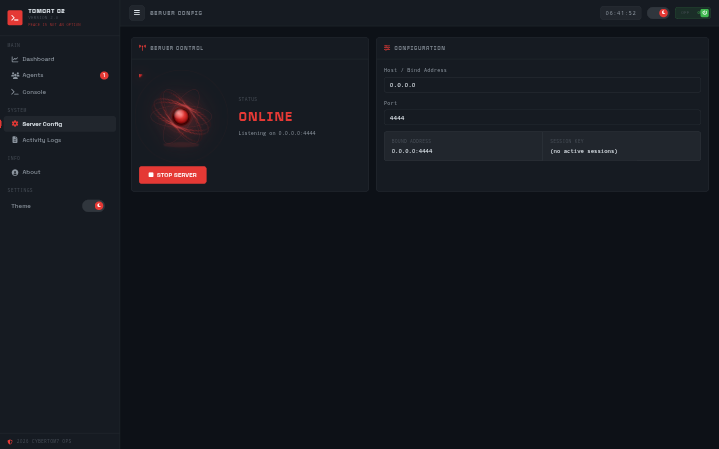
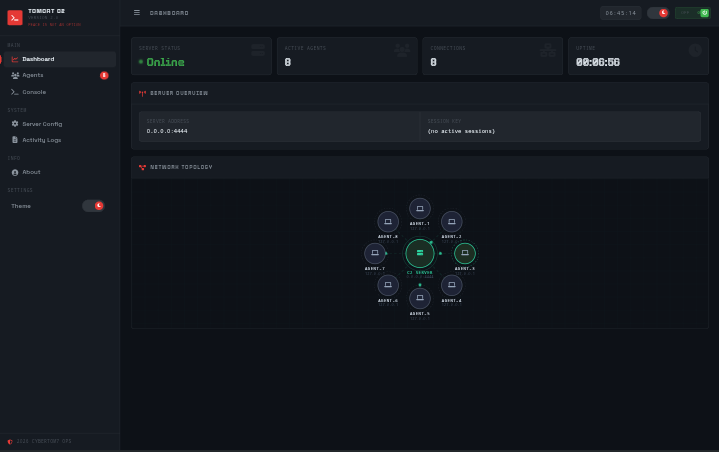
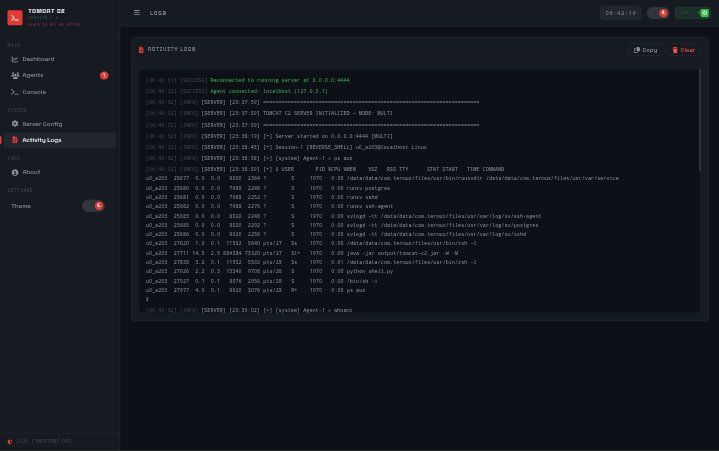
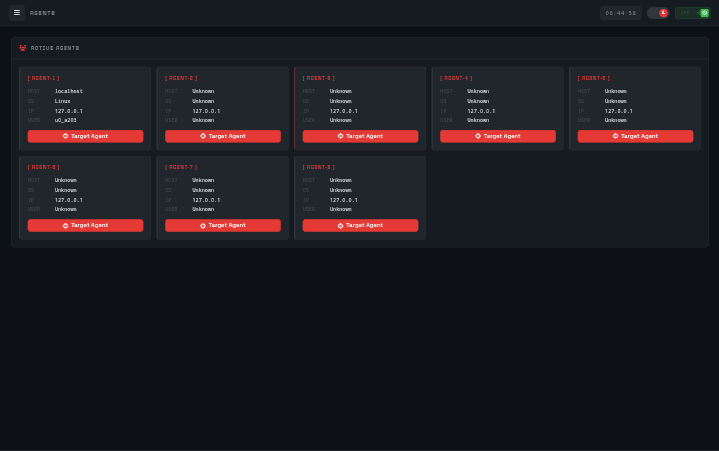
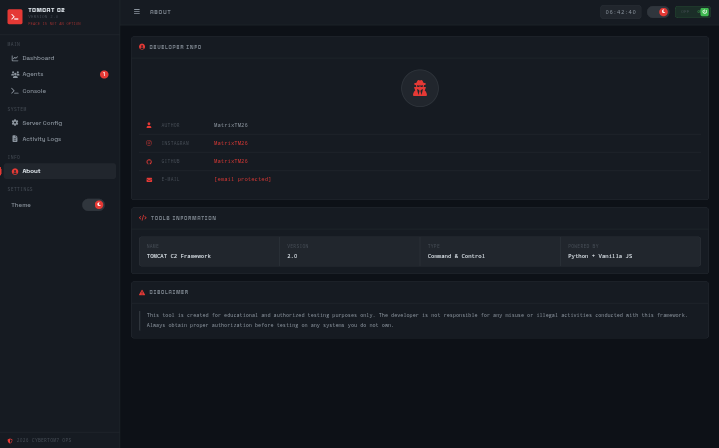
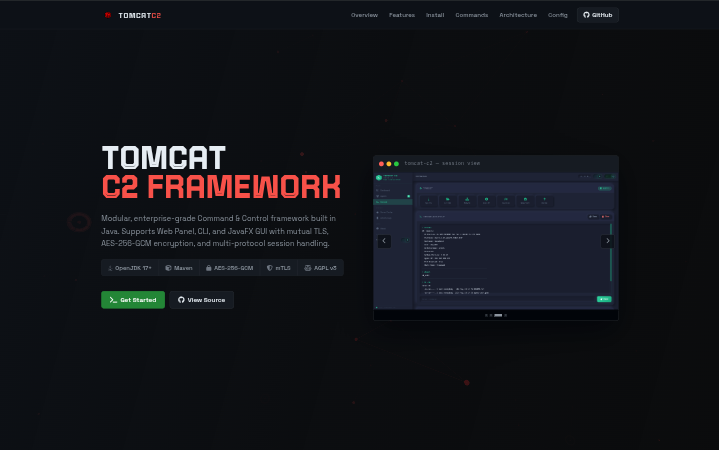
RAVEN C2 is a multi-platform adversary emulation framework built in Java. It supports multiple interface modes — Web Panel (HTTP), CLI, and JavaFX GUI — and manages concurrent reverse shell sessions from a single operator console across diverse target environments.
Engineered for operational security: all agent communication is protected by AES-256-GCM encryption and mutual TLS authentication using PKCS12 keystores. The framework features a full certificate lifecycle manager (CA → Server → Agent), file transfer, thread-safe session handling, an event-driven architecture, and multi-operator TeamServer mode.
This tool is for legally authorized penetration testing and red team engagements only. Unauthorized use is illegal and unethical.
Core Capabilities
Everything a red team operator needs in a single Java-based framework.
Multi-Interface Support
Operate via Web Panel (browser at port 5000), CLI mode (-C), or full JavaFX desktop GUI (-G) — whichever fits your workflow.
AES-256-GCM Encryption
All agent communication is encrypted end-to-end with AES-256-GCM, preventing traffic analysis and ensuring operational confidentiality.
Mutual TLS (mTLS)
Agent authentication via PKCS12 keystores. Full CA, server, and agent certificate lifecycle management with a single init command.
Multi-Protocol Sessions
Handle RAVEN agents, Meterpreter sessions, and plain reverse shells concurrently from a single operator console.
File Transfer
Upload payloads and download evidence files with built-in progress tracking. Evidence saved to the configurable output directory.
OPSEC Design
Minimal target footprint, encrypted payloads, and configurable listeners. Designed for operational security in authorized engagements.
Thread-Safe Sessions
Concurrent session handling backed by a thread-safe manager. Multiple agents can connect and be interacted with simultaneously.
Event-Driven Architecture
Decoupled event system for clean separation between the operator console, session manager, and agent handlers.
Cross-Platform
Runs on Windows, Linux, macOS via the JVM. Platform-specific Maven build flags available for each target OS.
Database Support
In-memory, SQLite, PostgreSQL, and MongoDB backends configurable via raven.properties.
Operator Roles
Role-based access control with four levels: SUPER, ADMIN, OPERATOR, MEMBER — each with distinct permission sets.
TeamServer Mode
Multi-operator collaborative C2 with dedicated REST API, allowing multiple clients to connect to the same instance simultaneously.
Getting Started
Deploy RAVEN C2 v3.0 in under 5 minutes.
Prerequisites
Ensure the following are installed before proceeding.
Clone Repository
Pull the source from GitHub. Use the main branch for stable usage or contrib for contribution.
git clone --branch main https://github.com/MatrixTM26/RAVEN.git
cd RAVENQuick Run (Pre-built JAR)
A ready-to-use JAR is included in the repository. No compilation required.
java -jar output/raven.jarBuild from Source
Compile with Maven. Use platform-specific flags for JavaFX support.
# Linux / Termux
mvn clean package -Djavafx.platform=linux -q

# Windows
mvn clean package -Djavafx.platform=windows -q

# macOS
mvn clean package -Djavafx.platform=macos -qInitialize Certificates & Launch
Initialize mTLS certificates first, then start the server in your preferred interface mode.
# Initialize CA and server certificates
java -jar target/raven-3.0.0.jar -i

# Web Panel mode (default — http://localhost:5000)
java -jar target/raven-3.0.0.jar

# CLI mode
java -jar target/raven-3.0.0.jar -C

# JavaFX GUI mode
java -jar target/raven-3.0.0.jar -GCommand Reference
CLI flags and operator console commands for RAVEN C2 v3.0.
-h-helpShow help and exit-s <addr>-host <addr>C2 server bind address (default: server.properties)-p <port>-port <port>C2 listener port (default: server.properties)-C-cli-modeStart in CLI interface mode-G-gui-modeStart in JavaFX GUI mode-W-web-modeStart in Web Panel mode-TSC-teamserver-cliTeamServer with CLI interface-TSW-teamserver-webTeamServer with Web interface-TSG-teamserver-guiTeamServer with GUI interface-tp <port>-teamserver-port <port>TeamServer API port (default: server.properties)-i-init-certsInitialize CA and server certificates-l-listList all generated agent certificates-A-multiMulti-protocol auto-detect-R-rawRaw TCP reverse shell only-b-httpHTTP beacon only-B-httpsHTTPS beacon only-T-tlsTCP TLS — RAVEN agent-M-mtlsMutual TLS — RAVEN agent-F-fmtlsFull mTLS + HTTPS beaconsessionssessionsList all active agent sessionsagentsagentsAlias for sessionsuseuse <id>Enter interactive shell with agentsysinfosysinfo <id>Show full system info for agentexecexec <id> <cmd>Execute arbitrary command on agent (raw passthrough)shellshell <id> <cmd>Execute via shell interpreter (sh -c / cmd /c)broadcastbroadcast <id,...|all> <cmd>Broadcast command to selected or all agentskillkill <id>Terminate an agent sessionpingping <id>Ping agent to verify liveness (raven: protocol)reconnectreconnect <id>Ask RAVEN agent to reconnectself-destructself-destruct <id>Wipe agent and terminate session (ADMIN+)sleepsleep <id> <seconds>Set agent sleep intervaljitterjitter <id> <ms>Set agent jitter delay in mswhoamiwhoami <id>Current user infoidid <id>User ID / groupshostnamehostname <id>Show agent hostnameunameuname <id>OS / kernel infopsps <id>Process listnetstatnetstat <id>Network connectionsifconfigifconfig <id>Network interfacesarparp <id>ARP tablerouteroute <id>Routing tableusersusers <id>Local users listservicesservices <id>Running servicesscreenshotscreenshot <id>Capture desktop screenshot (raven: protocol)privcheckprivcheck <id>Privilege escalation checkantivirusantivirus <id>Detect AV / EDR presencehashdumphashdump <id>Dump credential hashes (raven: protocol)keystrokekeystroke <id> <on|off>Toggle keylogger on agentdumpbrowsersdumpbrowsers <id>Saved browser credentials (raven: protocol)wifidumpwifidump <id>WiFi credentials dumposqueryosquery <id> <sql>Run osquery SQL on agentlsls <id> [path]List directorypwdpwd <id>Working directorycdcd <id> <path>Change directory on agentcatcat <id> <file>Read file contentsheadhead <id> <file> [n]First N lines of a filetailtail <id> <file> [n]Last N lines of a filermrm <id> <path>Delete file / directorymkdirmkdir <id> <path>Create directorycpcp <id> <src> <dst>Copy file or directorymvmv <id> <src> <dst>Move file or directoryfindfind <id> <path> [name]Find filesgrepgrep <id> <pattern> <file>Search text in filehashhash <id> <file> [sha256|md5]File hash computationdownloaddownload <id> <remote-path>Download file from agent (raven: protocol)uploadupload <id> <local-path> [remote-path]Upload file to agent (raven: protocol)pivotpivot <id> <host:port>Register pivot route through agentportfwdportfwd <id> <lport> <rhost> <rport>Port forward through agentsockssocks <id> <lport>SOCKS5 proxy through agentspawnspawn <id>Spawn new agent process on targetshellcodeshellcode <id> <hex>Inject shellcode into agent processpersistpersist <id> [method]Install persistence (cron/bashrc/systemd/reg/schtask)unpersistunpersist <id> [method]Remove persistence entryrunasrunas <id> <user> <pass> <cmd>Run command as another user-i-init-certsInitialize CA and server certificates-s <host>-server <host>Server host used during cert init-a <id>-agent <id>Generate a single agent certificate-m-multiGenerate multiple agent certificates-c <count>-count <count>Number of agents to generate (default: 10)-u <prefix>-prefix <prefix>Username prefix for bulk agent certs-ah <host>-agent-host <host>Agent callback host-ap <port>-agent-port <port>Agent callback port-am-agent-mtlsEnable mTLS in generated agent-ps-persistentEnable persistence in generated agent-hc-hide-consoleHide console window in generated agent-l-listList all generated agent certificates-r <id>-revoke <id>Revoke an agent certificate by ID-AO-add-operatorAdd a new operator-RO-remove-operatorRemove an existing operator-OP-operator-permissionView or update operator role-u <user>-username <user>Operator username-pw <pass>-password <pass>Operator password (min 8 characters)-r <role>-role <role>Operator role: SUPER / ADMIN / OPERATOR / MEMBERSystem Architecture
How RAVEN C2 v3.0 components interconnect in a live deployment.
Operator Interfaces
Web Panel (browser), CLI terminal, and JavaFX desktop GUI — all connecting to the same C2 server core.
C2 Server Core
Thread-safe session manager, mTLS auth, AES-256-GCM encryption, event-driven architecture, and certificate lifecycle manager.
Multi-Protocol Agents
Supports RAVEN agents (mTLS), Meterpreter sessions, and plain reverse shells — all managed from one console.
Output & Config
All session I/O captured to timestamped logs in ./output. All settings configurable via server.properties.
Configuration Reference
All parameters available in config/server/raven.properties.
# C2 listener
server.host=0.0.0.0
server.port=4444
server.mode=multi

# Web panel
web.host=0.0.0.0
web.port=5000

# Database backend (none | sqlite | postgres | mongo)
db.type=none

# TLS protocol
cert.tls.protocol=TLSv1.3

# Logging
logging.level=INFO
logging.file.enabled=falseserver.host0.0.0.0Bind address for C2 listenerserver.port4444Default agent listener portserver.modemultiListener mode (single / multi)web.host0.0.0.0Web panel bind addressweb.port5000Web panel HTTP portIn-memorynoneDefault, no persistenceSQLitesqliteFile-based, no server requiredPostgreSQLpostgresProduction-grade relational DBMongoDBmongoDocument-oriented storecert.tls.protocolTLSv1.3TLS protocol version enforcedlogging.levelINFOLog verbosity levellogging.file.enabledfalseEnable file-based logging